
Wireless
Set Date & Time To Set Automatically
1 min read
- Open Settings.
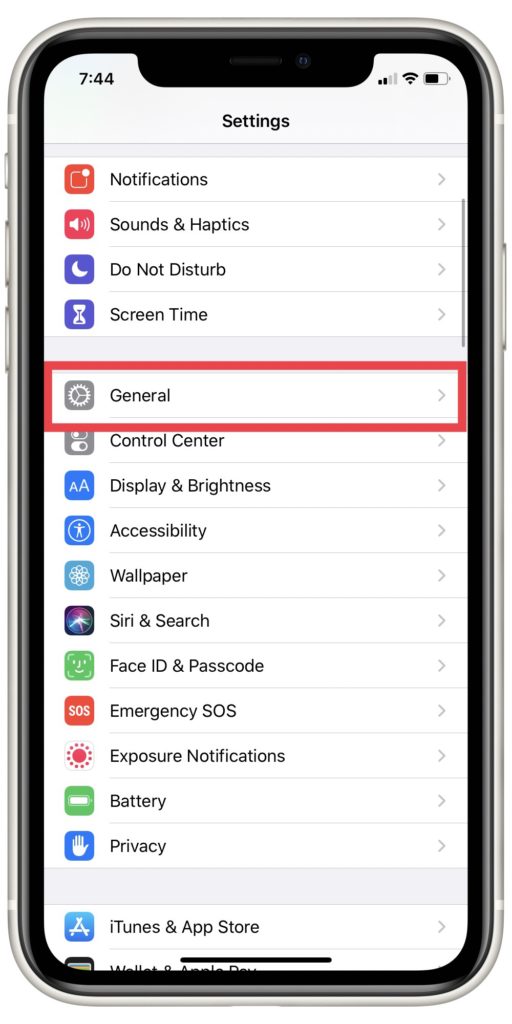
- Tap General.
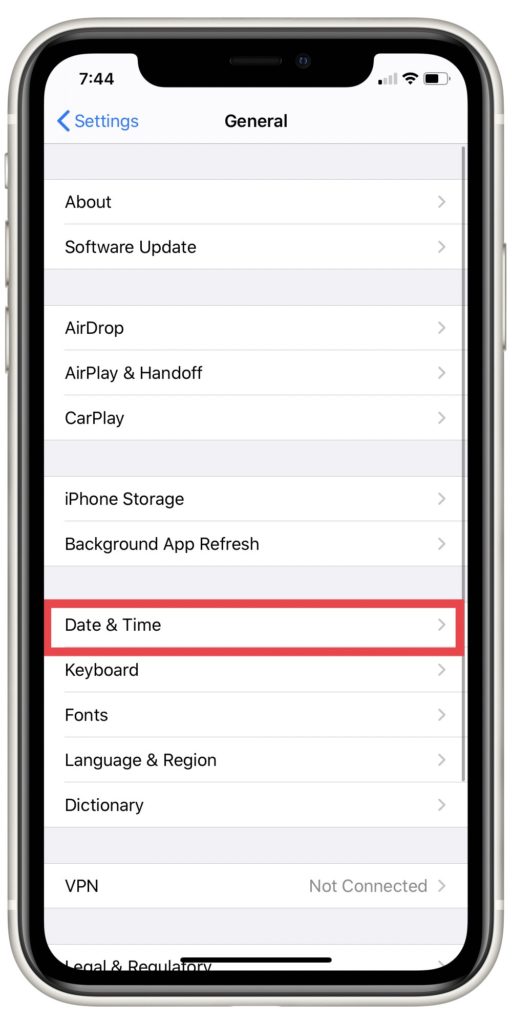
- Tap Date & Time.
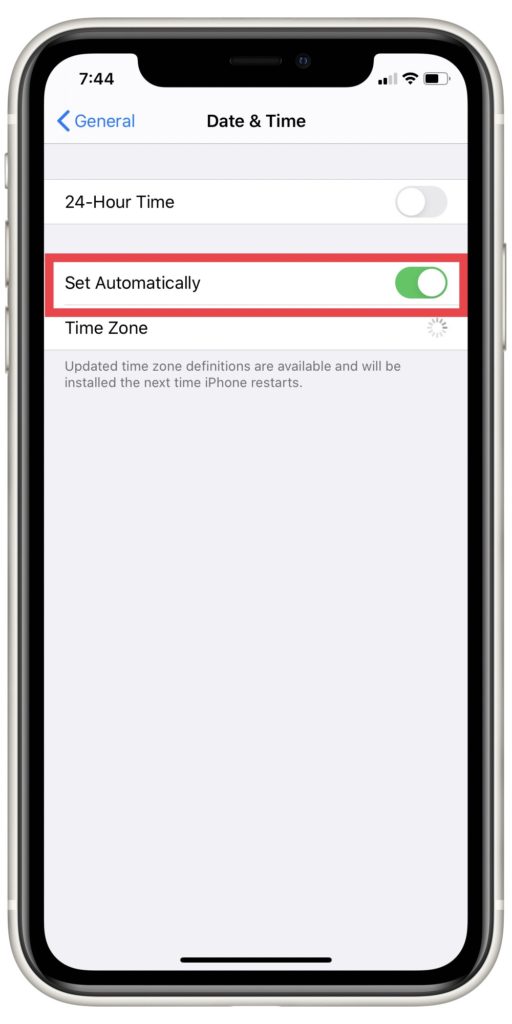
- Toggle the Set Automatically switch to the on position.
Why this works:
To keep everything on your iPhone running as accurately as possible, it helps to keep the clock synchronized. By setting Date & Time to Set Automatically, you can be sure that the time your iPhone displays is aligned with the rest of the world.


Beyond fixing
If repairs aren’t worth it, here’s how to pick what’s next.
Compare 328 phones across every carrier.